Atta Star desktop
Where I develop and manage the projects: one ticket queue across all of them, synced both ways with GitHub issues. A ticket starts a coding session; merging its pull request closes the issue.
- Role
- Sole developer, and its only user
- Year
- 2026
- Outcome
- One queue for the next piece of work in every project, kept in step with GitHub. A ticket goes from the queue to a coding session to a merged pull request without being copied anywhere.
- Built with
- Electron, TypeScript, Vue 3, Vite, Vitest, Playwright
Why I built it
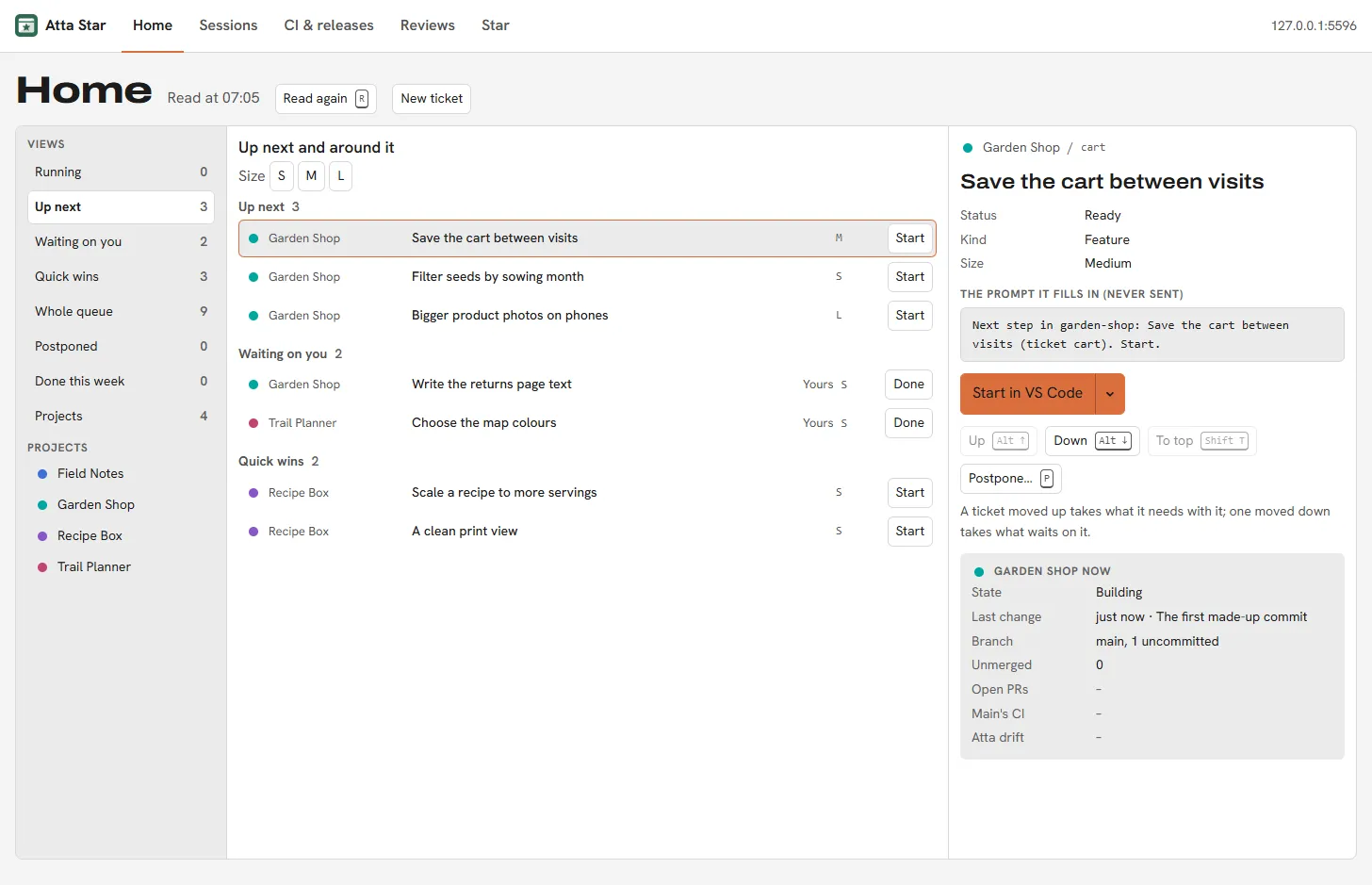
I work on several projects at a time, and each one keeps its own GitHub issues. Seeing what came next meant going through them one project at a time, and finding a coding session again meant remembering where I had left it.
What it does
One queue
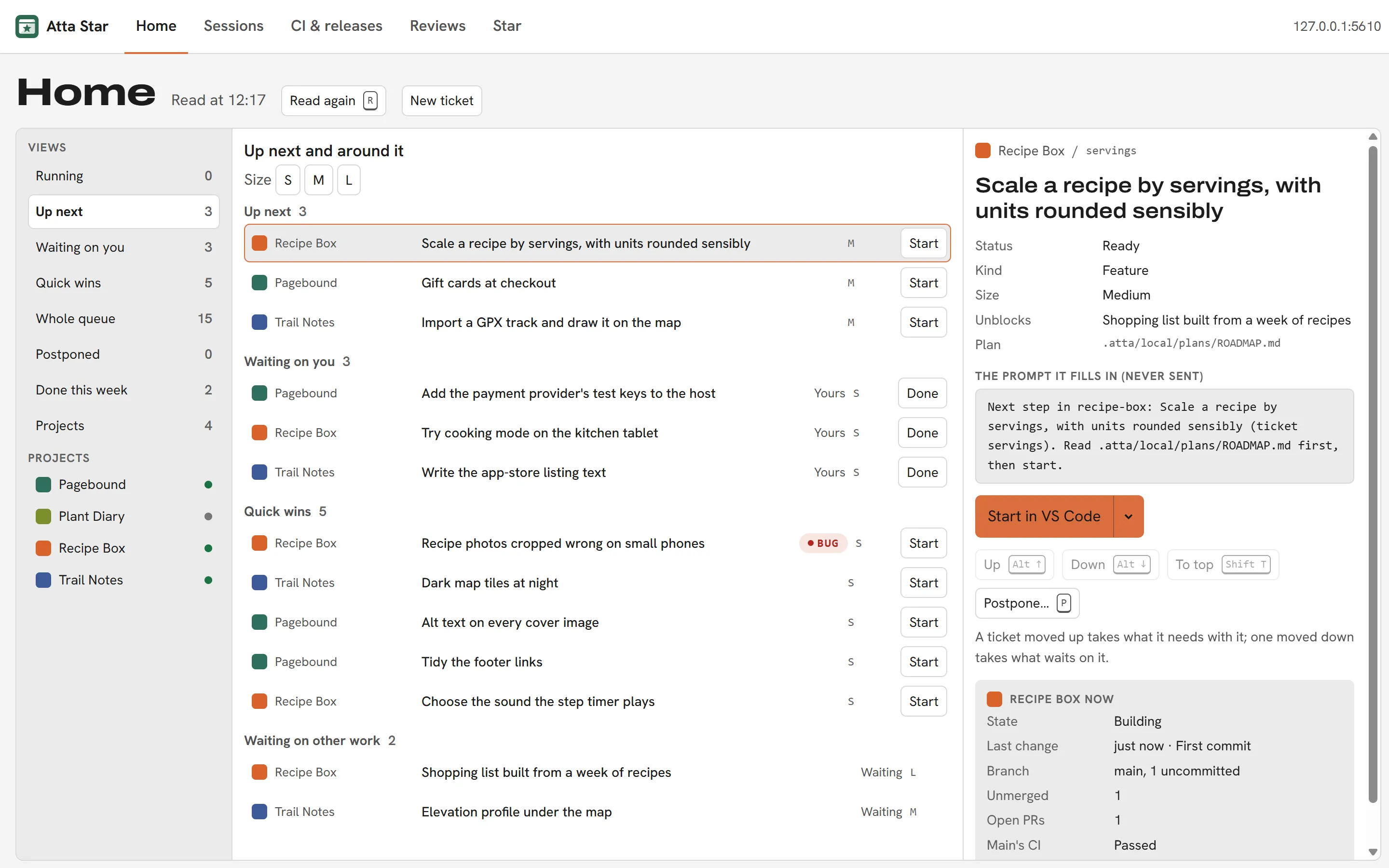
Home puts the next tickets of every project in one ordered queue, read from a short ticket file each project keeps. A ticket has a size, and can be marked as mine (a job for me, not code), as "decide first", or as a bug, and it can wait on others. The views are Running, Up next, Waiting on you, Quick wins, Postponed and Done this week. Moving a ticket up pulls its prerequisites with it; moving it down pushes back whatever depends on it. A ticket can be postponed to tomorrow, to Monday, to a date or to someday.
From ticket to pull request
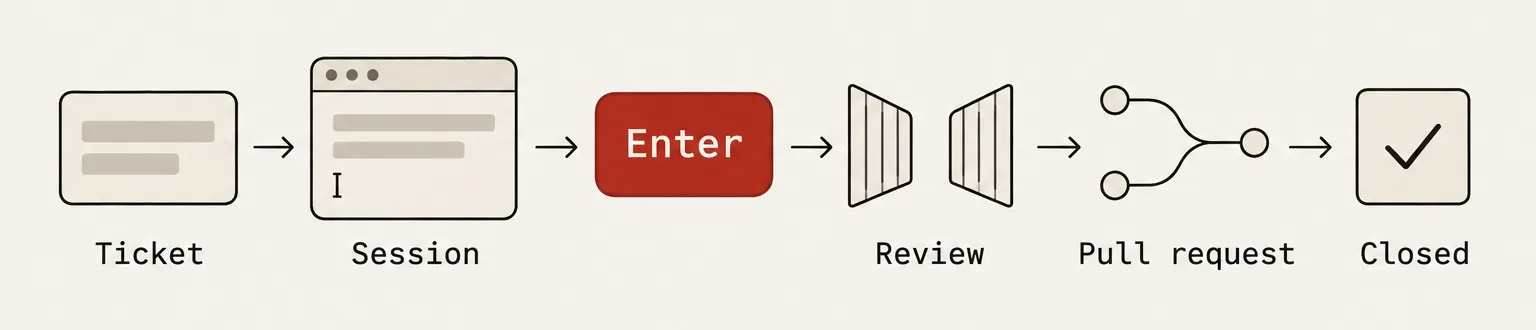
Start opens the project in VS Code or T3 Code with a coding session and its prompt already written ("Next step in this project: read the plan first"). I press Enter; nothing is ever sent for me. The app finds the session again by the ticket in its first message or the ticket id in its branch, shows it as Running while it is active, and jumps back to it. The pull request closes the GitHub issue, and the next sync ticks the ticket off.
GitHub sync
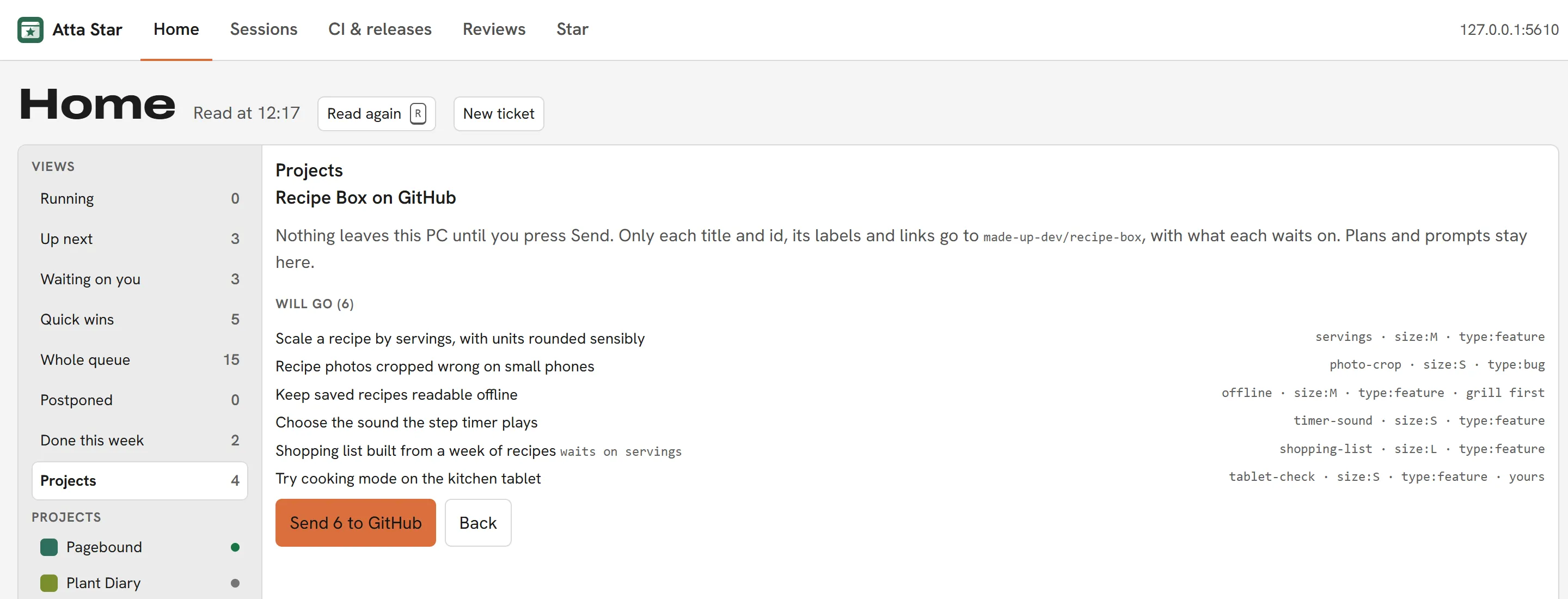
A project opts in. The first send lists exactly what will go and what will stay, and nothing leaves the computer until I press Send. Only titles, ids, labels and links go; prerequisites become "blocked by" links and parts become sub-issues. A ticket that mentions a client, or anything shaped like a tax number or an IBAN, stays local, and Home says why. After that, sync is a three-way merge: when both sides changed, GitHub wins and Home shows what it overwrote.
Projects board
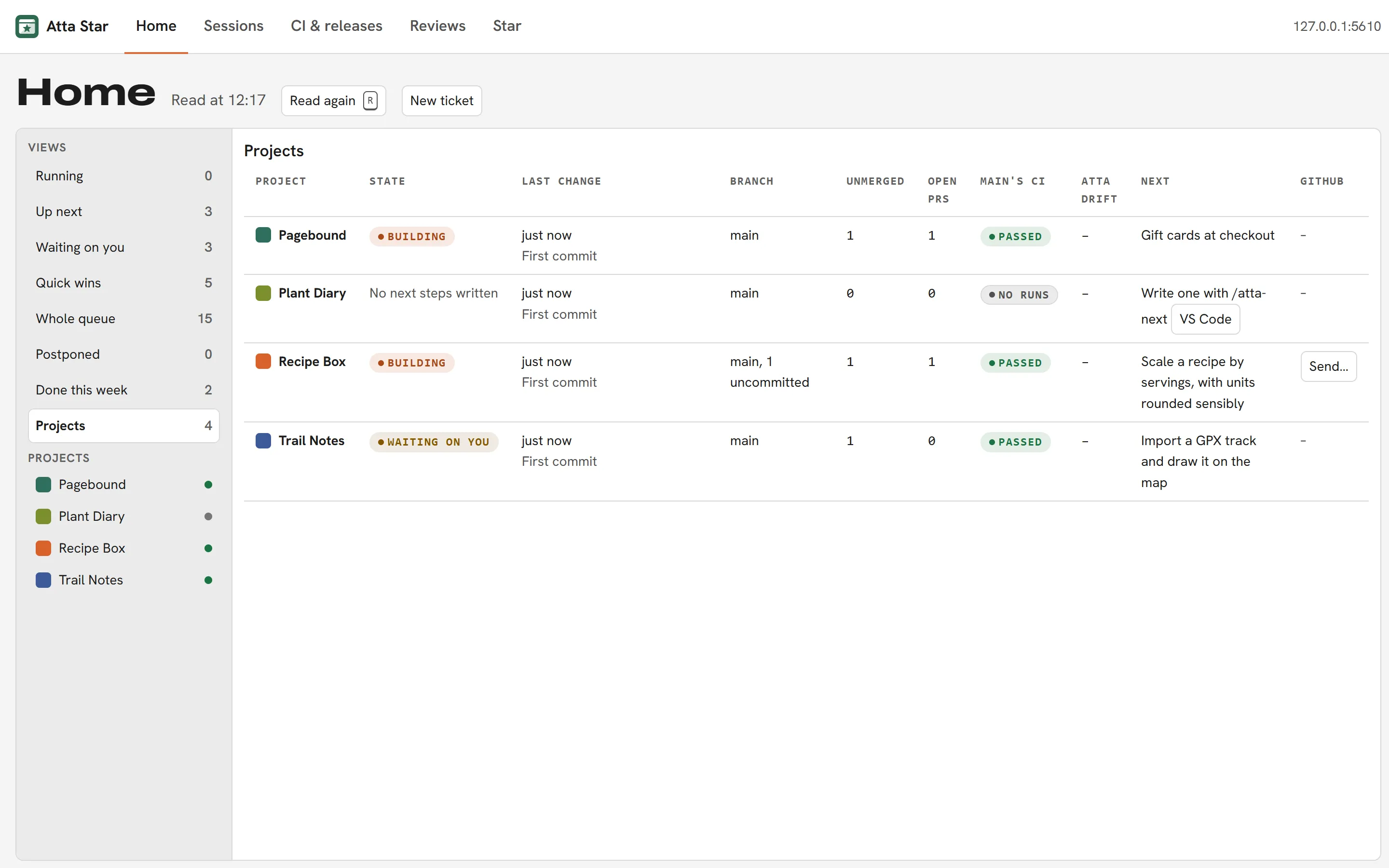
Every project in one table: last commit, branch and uncommitted files, unmerged branches, open pull requests, the state of CI on main, whether its copy of Atta has drifted from the shared one, and its next ticket.
Sessions
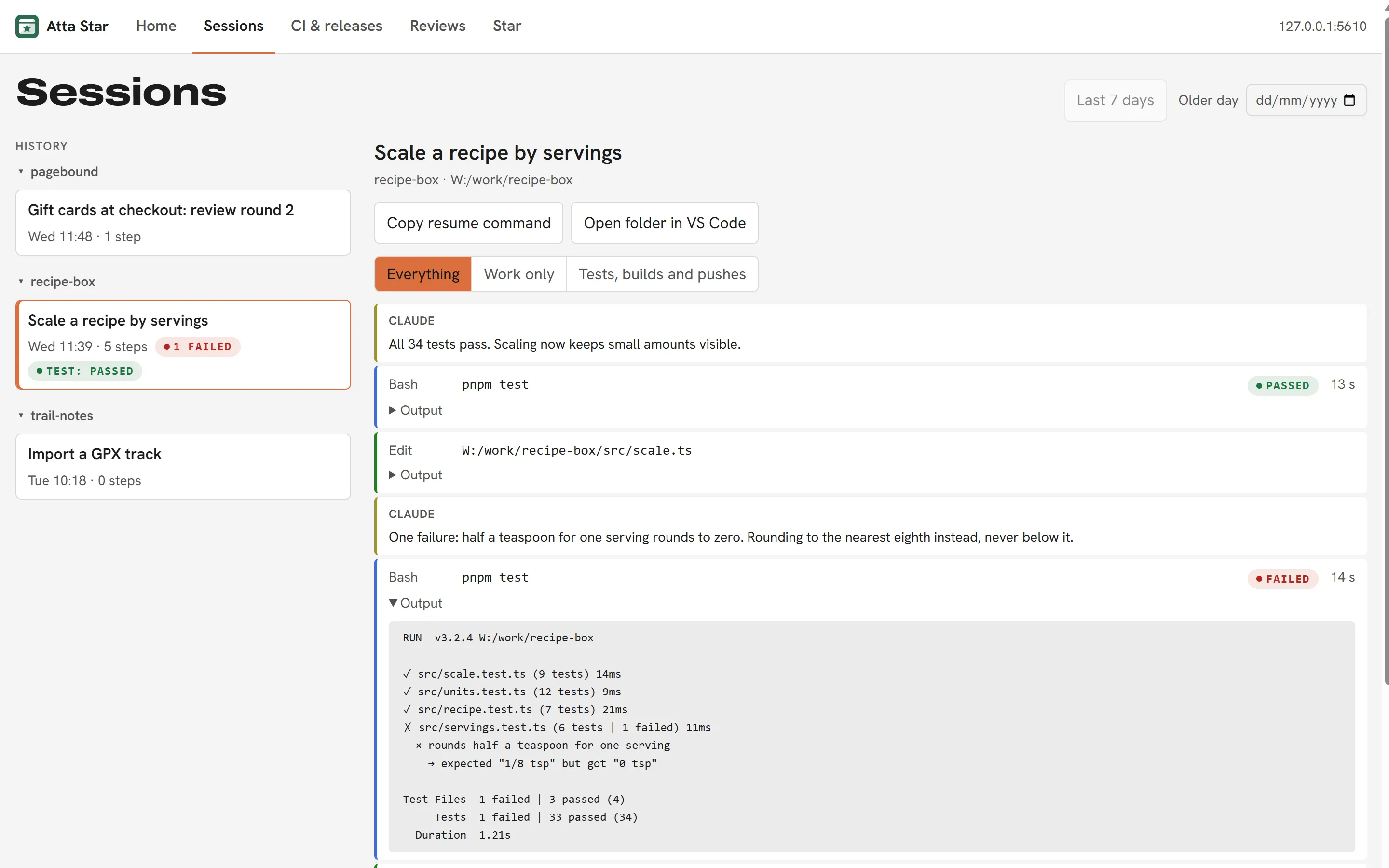
The last week of Claude Code and Codex sessions, grouped by project, with step counts, what is running or failed, and the last test, build or push result. A session opens as its conversation with subagents nested under their step, filtered to the work or to just the tests, builds and pushes, with a live tail of a background command's log.
Reviews
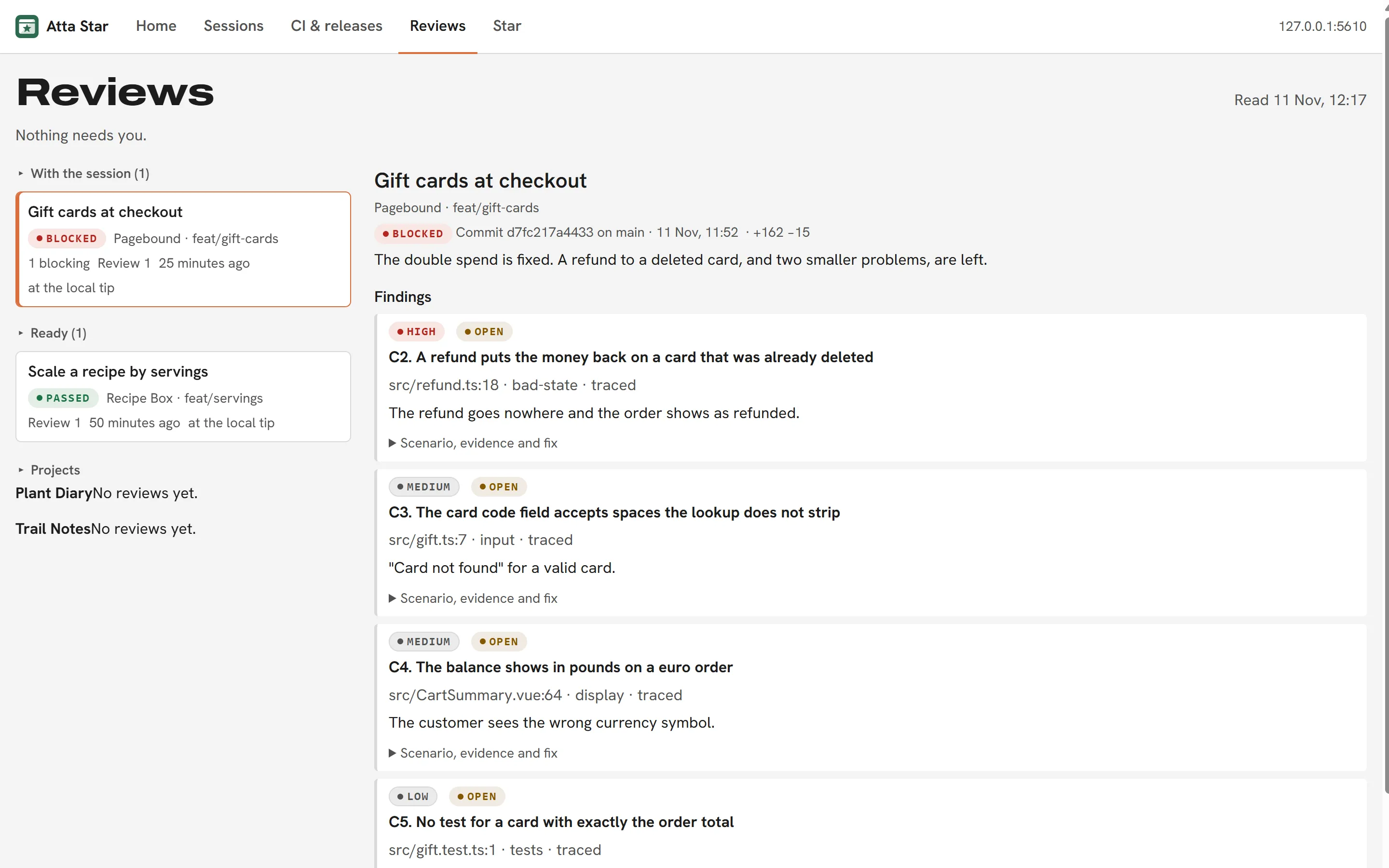
The independent reviewer's records, grouped as Needs you, With the session, Ready and Earlier. Each round lists its findings by severity, with file and line, the proof, and what the session answered. There is no button to waive or re-run a review, on purpose.
CI & releases
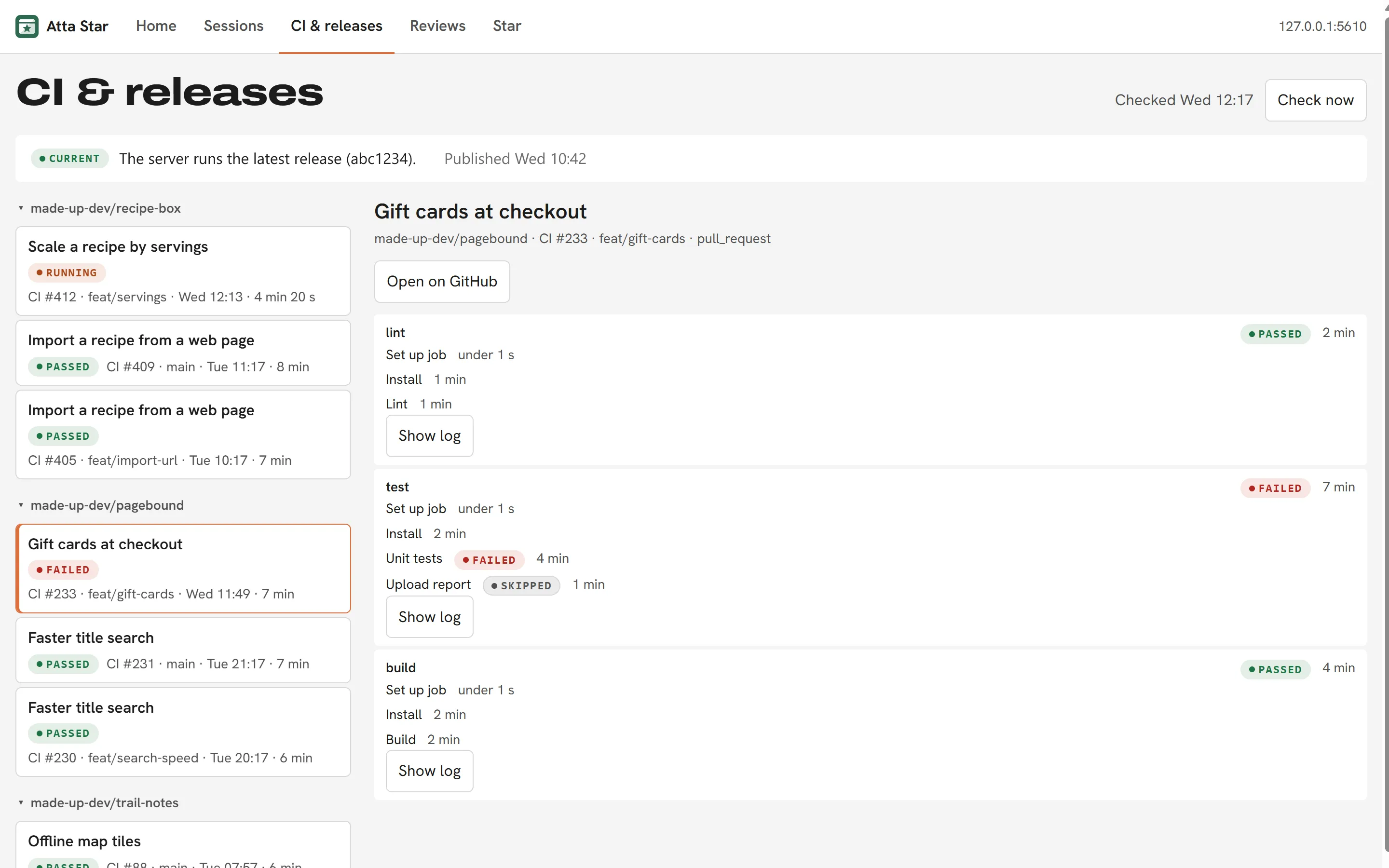
GitHub Actions runs for every repository I pushed to in the last week, down to a job's log with tokens hidden. It compares the latest release with the build the server reports, which answers "is the live app on the newest build?". A Windows notification says when a run fails and when a release lands.
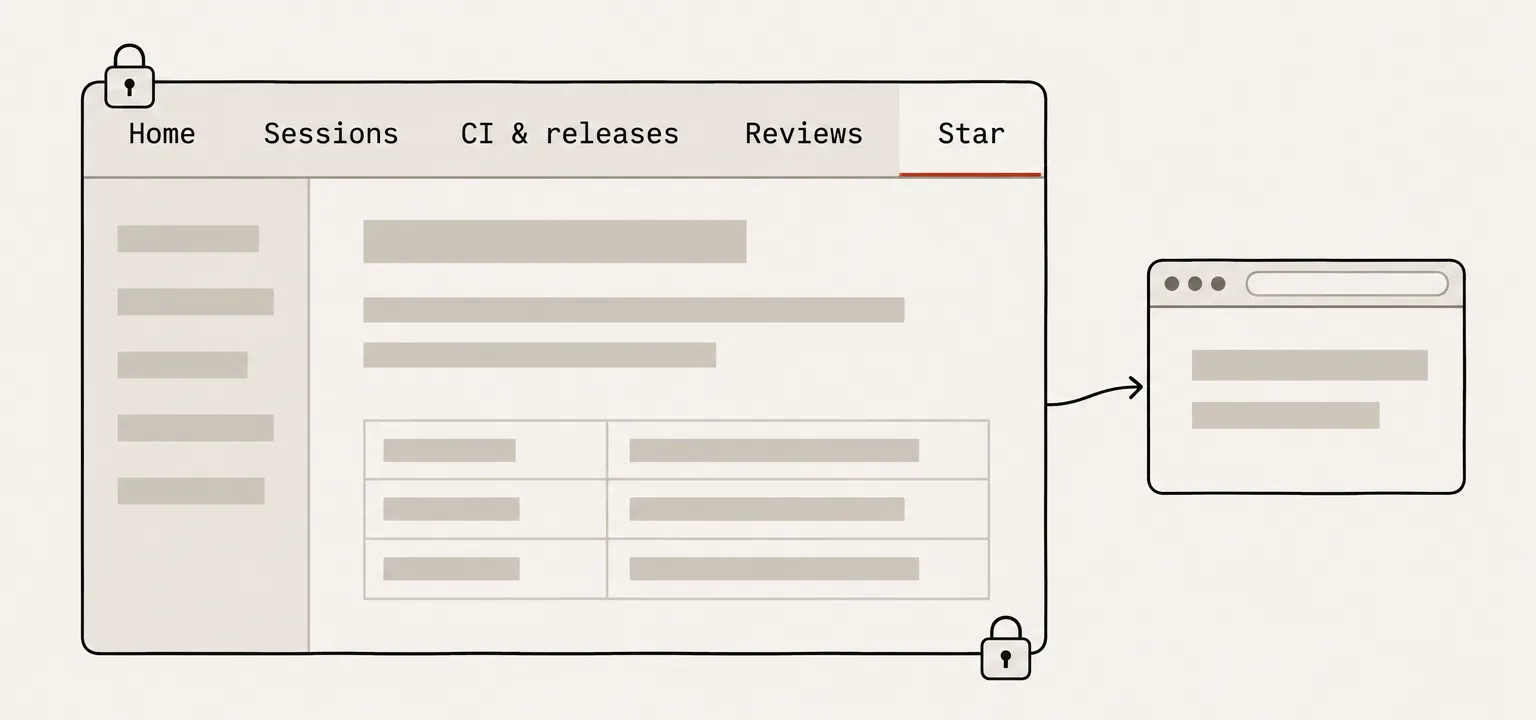
Star
The web app in its own locked-down tab, signed in through the same front door.
How it works
- It reads; it hardly writes
- The main process does all the reading: each project's ticket file and git state, the reviewer's records, the local session transcripts, and T3 Code's database, opened read-only. The only writes into a repository are ticking off my own tickets and adding new ones. A list of projects it must never read is required before it reads anything, and client projects are never read.
- A locked-down window
- The dashboard has no network access at all, with context isolation and a strict content security policy. One preload with fixed channels is the only bridge; every handler checks that the call came from the dashboard, and acts only on ids, paths or links the main process showed itself. The Star tab has no Node and three separate locks that keep navigation to the app and its sign-in. Electron fuses turn off running as Node and the inspector.
- No tokens
- The app stores no tokens. GitHub goes through the gh command line's existing login, and the Star sign-in is a cookie in an encrypted partition. Anything that looks like a secret is masked before it reaches the page.
How it is built and tested
- Tests
- About 1,200 unit tests, and 141 end-to-end tests that drive the real app with Playwright for Electron against fake local servers, temporary git repositories, made-up transcripts and canned GitHub answers.
- Releases
- A per-user Windows installer, built and installed by hand. There is no auto-updater, on purpose.
How Atta helped
- Each project's Atta keeps its next steps as a short list of tickets, and the app's Home turns those lists into the one queue.
- Atta writes the tickets but never reorders them: the priorities are mine, set in the app.
- Its pull requests go past atta-critic before they can merge, like every other project's.